


Wiki.js vs GitBook: Which Documentation Platform Is Right for Your Team?
Apr 8, 2026 4 min read
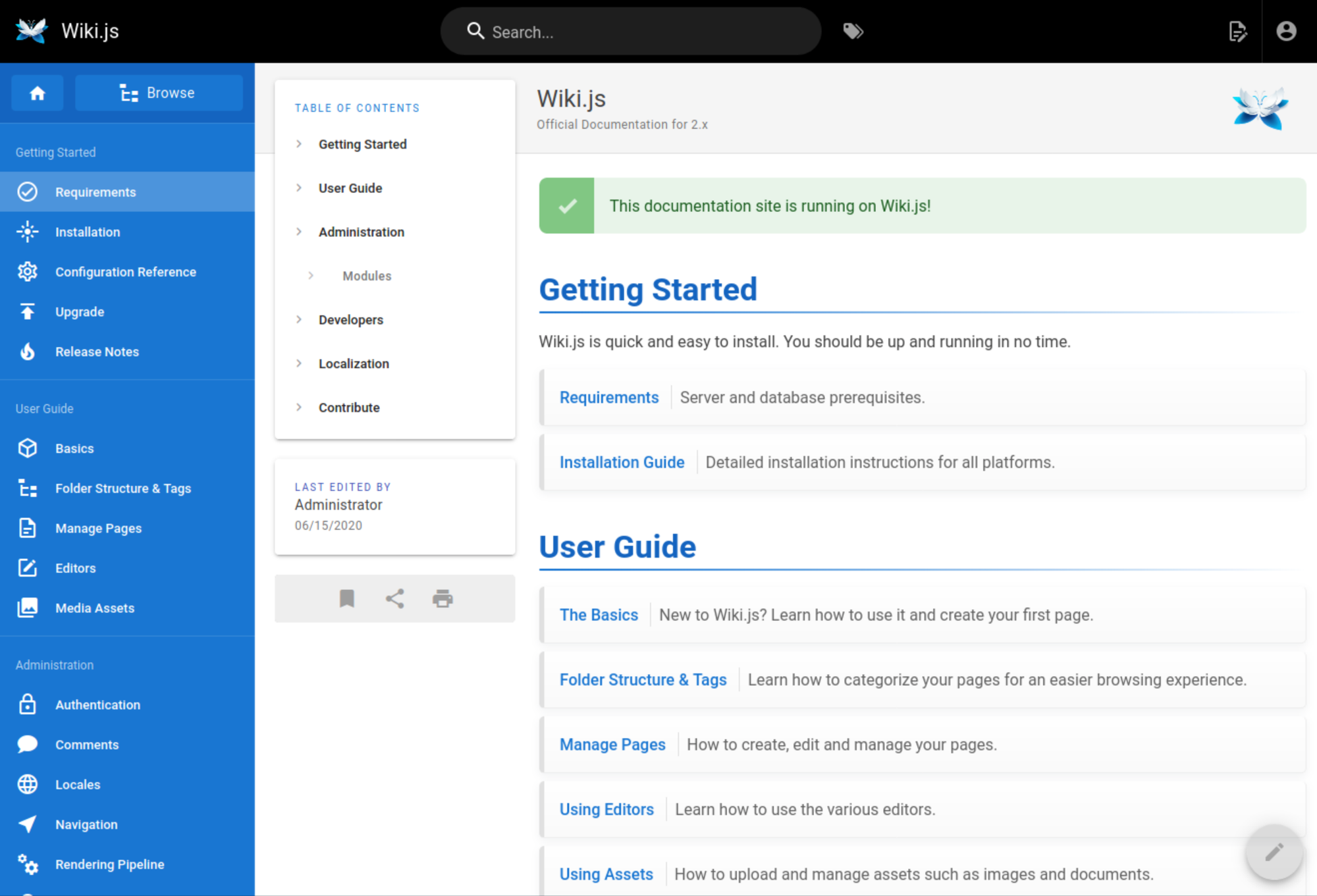
Most teams put off documentation until it becomes a real problem — onboarding takes too long, the same questions get asked repeatedly, institutional knowledge walks out the door when someone leaves. When teams finally commit to fixing it, the shortlist often comes down to two tools: Wiki.js and GitBook. They solve similar problems but from different starting points. Here's an honest breakdown of the real differences.
Wiki.js is an open-source wiki platform you host yourself. It's built for teams who want full control over their knowledge base — where it lives, who can access it, how it looks, and what it connects to. It's free to use, supports multiple authentication methods, and can be customized extensively. You own the deployment, which means you own the data. GitBook is a cloud-based documentation platform. It's designed to get you running quickly — clean editor, GitHub sync, polished publishing. It targets developer teams and product teams who want something that looks professional fast and don't want to think about infrastructure.
This is the clearest difference between the two tools. With Wiki.js, your documentation lives on your own infrastructure. You control the database, the backups, and the access logs. For teams with compliance requirements, internal security policies, or a preference for not keeping sensitive internal knowledge on someone else's servers, this is often the deciding factor. GitBook stores your content on their platform. That's not inherently a problem, but it is a dependency. If pricing changes, the product changes direction, or the service has an outage, your documentation is affected. With Wiki.js, none of that applies.
GitBook has a more polished editor out of the box. It's close to Notion in feel — block-based, clean, easy for non-technical people to pick up quickly. GitBook also has solid GitHub sync, which makes it popular for developer documentation that lives alongside code repositories. Wiki.js offers multiple editors: a visual editor, a Markdown editor, and an AsciiDoc editor. The visual editor is functional but less refined than GitBook's. Where Wiki.js wins is flexibility — you can choose how you write, import content in multiple formats, and integrate with a broader range of systems.
GitBook charges per user on higher-tier plans — which is standard for SaaS but adds up quickly for larger teams or organizations where many people need accounts. Wiki.js has no per-user cost. You can have 200 contributors at the same cost as 10. For growing teams, open-source projects, or companies where access should be broad, this makes a significant financial difference over time. Both platforms support role-based access. Wiki.js also supports LDAP, SAML, and OAuth, making it straightforward to connect to existing identity providers.
Both platforms offer full-text search. GitBook's search is clean and well-integrated into the reading experience. Wiki.js supports multiple search backends — including PostgreSQL full-text search and Elasticsearch — which can be more powerful for large knowledge bases with complex content and many contributors. Navigation in both tools is tree-based. GitBook's sidebar is more curated and polished. Wiki.js gives you more flexibility in how you organize and link content, which is an advantage for complex internal documentation with multiple product areas or departments.
GitBook integrates well with GitHub and a handful of other developer tools. Its ecosystem is focused on the documentation use case. Wiki.js takes a broader approach — it connects to databases, authentication systems, storage providers, and external editors, and has an active community contributing modules and extensions. If you want a documentation tool that slots into an existing developer workflow with minimal configuration, GitBook is simpler. If you need documentation to integrate into broader internal infrastructure, Wiki.js offers more surface area.
Wiki.js makes sense if your team wants full ownership of your documentation, you're sensitive about internal content leaving your infrastructure, you have a large team where per-user SaaS pricing doesn't scale, or you need to integrate with internal authentication systems. It also makes sense if you want a platform you can customize — custom themes, additional modules, specific integrations.
GitBook is a better fit if you want something running quickly with minimal setup, you're building public-facing developer documentation, GitHub sync is important to your workflow, and you're comfortable with a SaaS product and its pricing model. It's also a reasonable choice for small teams where the per-user cost is manageable and low-friction setup is the priority.
One option that often gets overlooked is managed hosting for Wiki.js. You get the ownership and flexibility of open-source Wiki.js — no vendor lock-in, no per-user fees, your data on your terms — without the infrastructure overhead of running it yourself. Updates, backups, and availability are handled for you, while you retain full control of your content and configuration. For teams who want the benefits of open-source documentation tools without the DevOps responsibility, this sits between DIY self-hosting and a full SaaS product.
GitBook wins on out-of-the-box polish and ease of setup. Wiki.js wins on ownership, cost at scale, and flexibility. If you care about where your documentation lives — and more teams do than you'd expect — Wiki.js is the stronger long-term choice. If you need something running before Friday and don't want to think about infrastructure, GitBook gets you there faster. Both tools are mature, actively maintained, and capable of handling serious documentation needs. The decision comes down to your team's priorities, not either tool's limitations.